
P&ID to SOLIDWORKS Automation: Market Landscape and MST Position
How MST's P&ID-to-native-SOLIDWORKS focus compares with adjacent plant-design, CAD-review and computational-design tools such as Autodesk Plant 3D, CoLab and nTop.
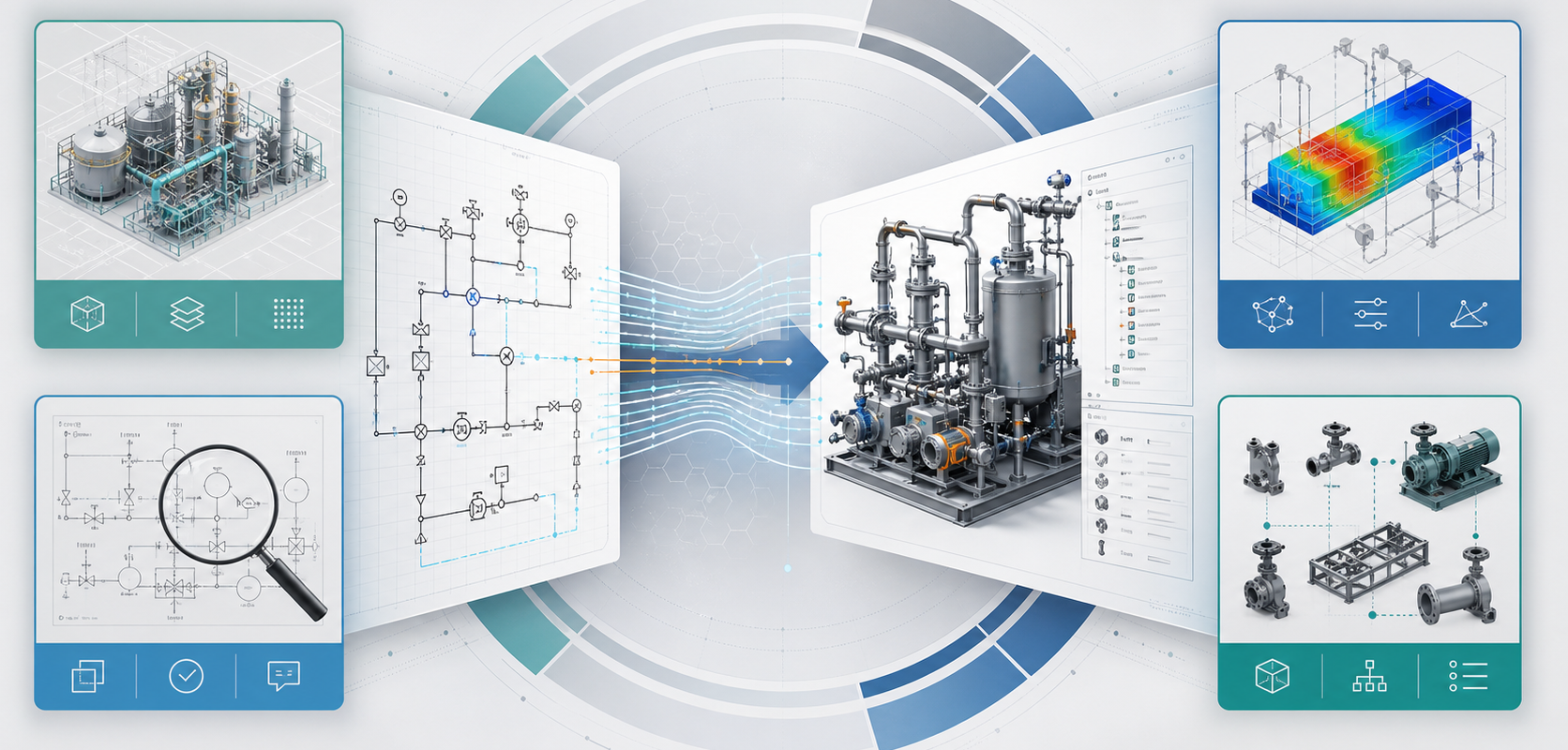
- →Autodesk Plant 3D: strong plant-design environment
- →SOLIDWORKS: the native engineering environment
- →CoLab: review and engineering knowledge
- →nTop: computational and parametric design
- →Where MST fits
Answer block: The market already has strong plant-design, CAD-review and computational-design tools. Autodesk Plant 3D is strong for P&ID, plant modeling, isometrics and validation. CoLab is strong for design review and AI-assisted engineering knowledge capture. nTop is strong for parametric computational design. MST’s P&ID-to-SOLIDWORKS focus is narrower: converting process-diagram intent into a native SOLIDWORKS assembly structure with feature tree, customer part-library reuse, BOM context and reviewable exceptions.
It is useful to compare P&ID-to-SOLIDWORKS automation with adjacent tools, but the comparison must be precise. MST is not trying to replace every plant-design platform, every CAD review platform or every computational-design system. The target problem is more specific: equipment teams that already use SOLIDWORKS and need a faster path from P&ID intent to editable mechanical assembly.
Autodesk Plant 3D: strong plant-design environment
Autodesk describes Plant 3D as a toolset for creating and editing P&IDs and 3D models, with piping documentation such as orthographics and isometrics. Its public product page also highlights P&ID drafting, symbol libraries, data validation, 3D modeling, project-specific piping specs and reporting.
That is a broad plant-design workflow. It is highly relevant to teams working inside the AutoCAD Plant 3D ecosystem. The gap MST is addressing is different: many industrial equipment builders work downstream in SOLIDWORKS and need native assemblies, feature trees, customer part libraries and BOM structures that fit their mechanical design process.
SOLIDWORKS: the native engineering environment
SOLIDWORKS positions modern 3D CAD around precise design, AI and cloud-enabled collaboration. Its own overview emphasizes parametric behavior, design accuracy, visualization, analysis and collaboration. For equipment builders, this matters because the output of automation needs to live where the engineering team actually revises the model.
If the engineering organization releases SOLIDWORKS assemblies, then a neutral or external model is only an intermediate artifact. The business value comes when the generated output fits the team’s native CAD workflow.
CoLab: review and engineering knowledge
CoLab’s public materials focus on AI drawing review, AI CAD review, knowledge capture, design review, markups, model interrogation, comparisons and integrations including SOLIDWORKS. This is a strong category: engineering teams need better review systems because decisions are often stuck in meetings, comments and tribal knowledge.
MST’s workflow is adjacent but different. Review platforms help teams inspect and annotate existing designs. MST’s P&ID-to-SOLIDWORKS capability focuses on creating a proposed native assembly from process-diagram intent, then making the result reviewable.
nTop: computational and parametric design
nTop publicly emphasizes parametric models, requirements-driven design exploration and systematic design variation under constraints. That is valuable for performance-driven geometry and manufacturing-aware exploration.
P&ID-to-assembly automation has a different center of gravity. It is less about optimizing a lattice or a performance geometry and more about interpreting functional process intent, mapping symbols to real components, preserving BOM context and producing an editable SOLIDWORKS assembly for engineering review.
Where MST fits
MST fits when the question is:
- Can a P&ID and part library become a native SOLIDWORKS assembly starting point?
- Can the output preserve component hierarchy and feature-tree structure?
- Can BOM context follow the assembly instead of being rebuilt manually?
- Can ambiguous symbols and missing parts be flagged instead of guessed silently?
- Can the workflow support gas panels, gas boxes, skids or equipment modules with customer-specific rules?
This is a focused engineering automation problem. It does not require claiming to be better than every CAD or plant-design platform. It requires being useful in the exact handoff where P&ID intent becomes native mechanical assembly.
Comparison table
| Category | Typical strength | MST differentiation |
|---|---|---|
| Plant design suites | P&ID drafting, piping specs, isometrics, plant model management | Focused path to native SOLIDWORKS assembly output for equipment teams |
| CAD review platforms | Comments, markups, issue tracking, AI-assisted review | Generation of a reviewable starting assembly from P&ID and part-library context |
| Computational design tools | Parametric design exploration under constraints | Symbol, BOM, part-library and assembly-structure workflow for process equipment |
| Neutral geometry export | Cross-CAD geometry sharing | Editable SOLIDWORKS assembly structure with feature tree and BOM context |
Public references
- Autodesk AutoCAD Plant 3D toolset
- SOLIDWORKS overview of 3D CAD
- CoLab engineering AI and design review
- nTop computational design software
For teams specifically asking how to move from P&ID to native SOLIDWORKS output, start with MST’s capability page and compare the desired output against your current CAD release process.
Related Articles


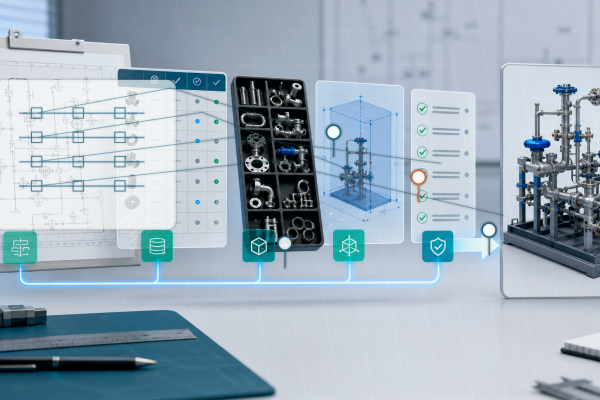
Need a native SOLIDWORKS assembly?
Send the P&ID scope, part-library expectations, rulepack boundary and target assembly output. MST reviews whether the case is suitable for native assembly generation with feature tree, mates and BOM context.