P&ID to 3D Using Your Own SOLIDWORKS Part Library
Why P&ID-to-3D automation should reuse the customer's approved SOLIDWORKS library, BOM fields, naming rules and review standards.
- →Why generic parts are not enough
- →What a customer part library should include
- →How AI uses the library without exposing core internals
- →What to provide for a first review
- →FAQ
Answer block: For equipment builders, the most valuable P&ID-to-3D workflow is not a generic model. It is a native SOLIDWORKS assembly that reuses the customer’s own approved part library, naming rules, BOM fields and review standards. Customer-library reuse helps keep CAD, procurement and engineering review connected.
Many P&ID-to-3D discussions focus on diagram conversion. That framing is too narrow. The real question for mechanical teams is: will the generated assembly use the parts we actually buy, approve and revise?
Why generic parts are not enough
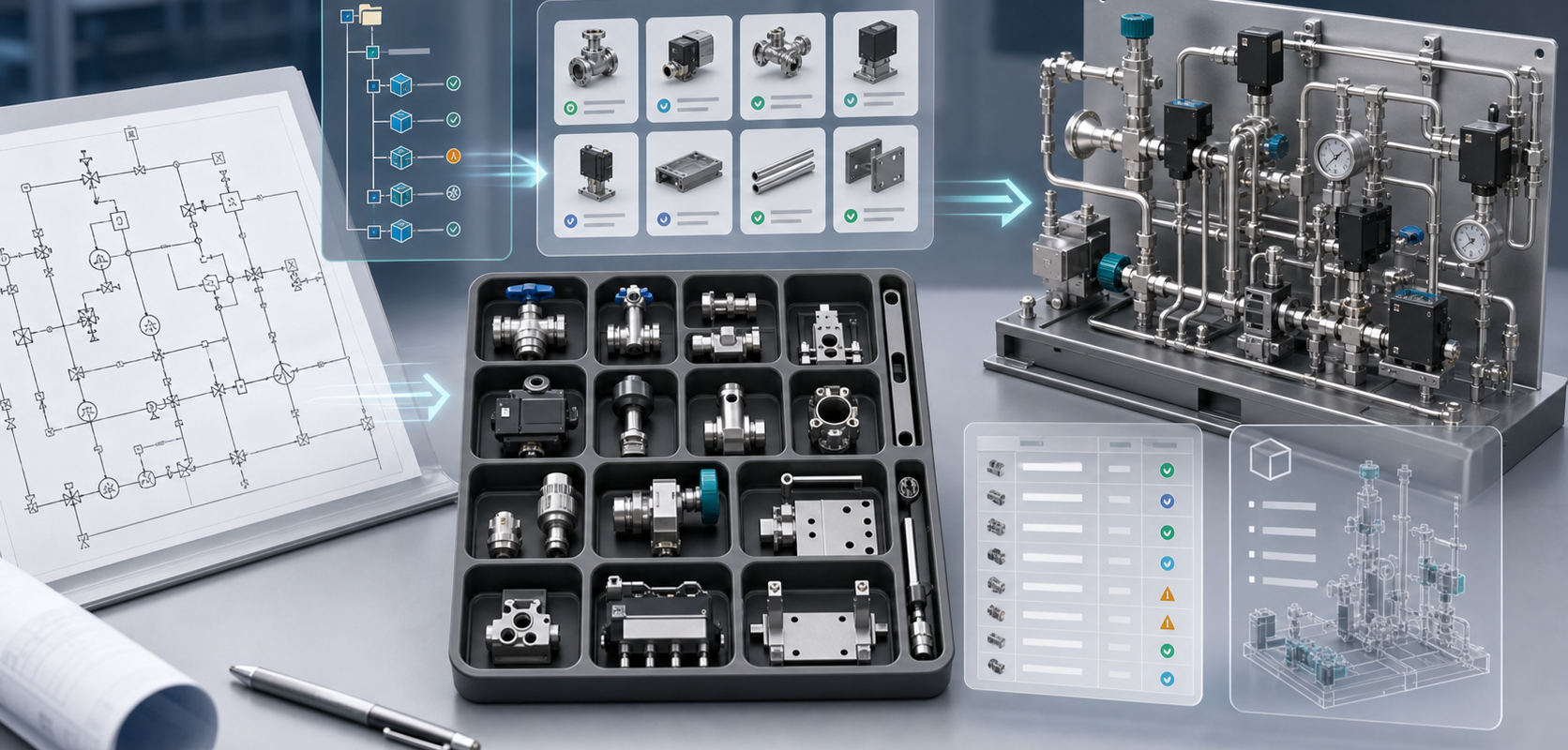
Generic CAD symbols can help visualize a system, but production-oriented engineering work needs approved parts. A gas panel, gas stick, skid or process module may require customer-specific valves, fittings, regulators, MFCs, brackets, manifolds, fasteners and supplier models. Replacing those with generic geometry creates cleanup work and BOM ambiguity.
What a customer part library should include
- Native SOLIDWORKS parts and assemblies where available.
- Approved supplier models or controlled placeholders.
- Part numbers, descriptions, vendor fields and revision status.
- Connection metadata: port size, orientation, fitting type and material.
- Mounting patterns, clearance assumptions and bracket standards.
- Naming and folder conventions for feature tree readability.
How AI uses the library without exposing core internals
At a public level, the workflow is straightforward: interpret P&ID symbols and tags, map them to library candidates, build assembly hierarchy, propose connections and mates, carry BOM context, and mark ambiguous items as exceptions. The internal model and rule handling are MST’s implementation details; the customer-facing requirement is a controlled, reviewable output.
What to provide for a first review
A first feasibility review does not need the full private library. Teams can provide a sanitized sample: a small equipment slice, representative components, naming convention, BOM fields and rule examples. That lets MST evaluate fit without exposing unnecessary IP.
FAQ
Can MST use our existing SOLIDWORKS part library?
That is the intended direction for serious equipment work. The scope depends on library quality, metadata, file discipline and rule coverage.
What if our part library is messy?
The pilot can define a controlled subset. A small, clean subset is better than a large ungoverned library.
Can placeholders be used?
Yes, if the placeholder policy is explicit. The output should show what is approved, what is placeholder and what needs engineering review.
Pair this article with the input checklist and how AI handles symbols, BOM context and mates.
Need a native SOLIDWORKS assembly?
Send the P&ID scope, part-library expectations, rulepack boundary and target assembly output. MST reviews whether the case is suitable for native assembly generation with feature tree, mates and BOM context.