Smap3D Alternative: AI P&ID to Native SOLIDWORKS Assembly
For teams comparing Smap3D alternatives, MST focuses on AI-assisted P&ID-to-native-SOLIDWORKS assembly generation using customer libraries and review exceptions.
- →When to evaluate an alternative
- →MST vs traditional P&ID-to-3D workflows
- →What MST does not claim
- →What to ask in a comparison
- →FAQ
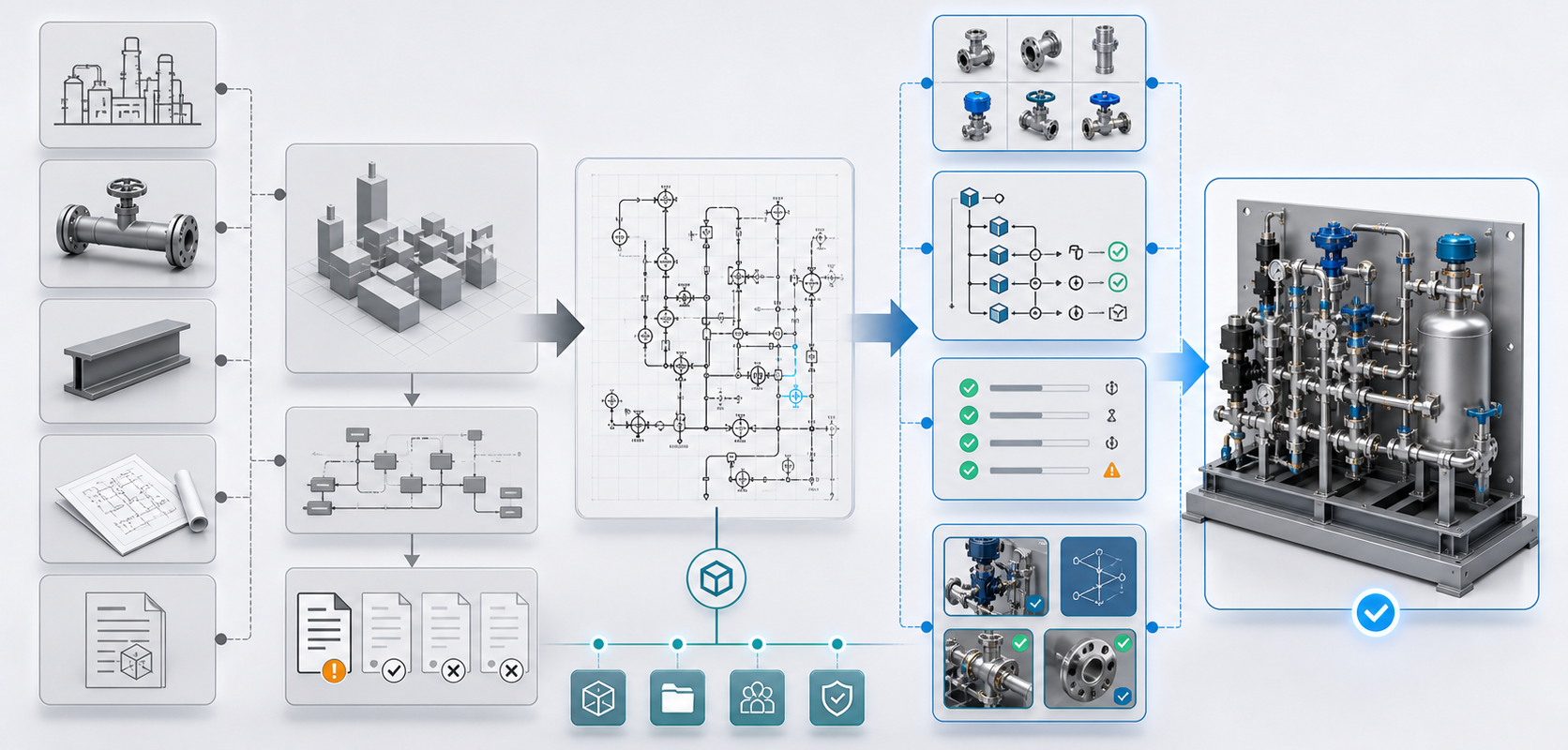
Answer block: Teams searching for a Smap3D alternative usually need one of two things: a broader plant-design workflow, or a narrower automation path from P&ID intent to a native SOLIDWORKS assembly. MST focuses on the second case: customer part-library reuse, native assembly structure, feature tree, mates, BOM context and reviewable exceptions for engineering teams.
Smap3D is a recognized plant-design software family around P&ID, piping and related 3D workflows. It is a serious tool category, not a toy. But not every equipment builder is looking for the same workflow. Some teams specifically want AI-assisted generation of a native SOLIDWORKS assembly from their P&ID, their part library and their rules.
When to evaluate an alternative
Evaluate an alternative when the project is less about general plant layout and more about repeated equipment modules: gas panels, gas sticks, process skids, gas boxes, test stands or compact industrial systems. These workflows often need fast variant handling, customer-specific part libraries, BOM discipline and engineer review of exceptions.
MST vs traditional P&ID-to-3D workflows
| Question | Traditional plant-design workflow | MST P&ID-to-SOLIDWORKS focus |
|---|---|---|
| Best fit | Plant piping and broader design workflow | Equipment modules and native assembly proposals |
| Part strategy | Catalog and configured components | Customer-controlled SOLIDWORKS library where available |
| Output target | 3D plant/piping design environment | Native SOLIDWORKS assembly with feature tree and mates |
| Review model | Engineer-driven design workflow | AI proposal plus engineer validation |
What MST does not claim
MST does not claim that AI removes engineering review. It does not claim that every P&ID can be converted with no missing data. A good system must expose ambiguity: missing tags, unknown components, unclear flow direction, unavailable parts, impossible clearances or rule conflicts.
What to ask in a comparison
- Can the workflow reuse our own native SOLIDWORKS library?
- Will the output preserve editable assembly hierarchy?
- Can BOM fields and part status travel into the assembly?
- Are uncertain items visible as review exceptions?
- Does the workflow fit gas panels, skids, gas boxes or repeated equipment modules?
FAQ
Is MST a replacement for every Smap3D workflow?
No. MST is focused on AI-assisted P&ID-to-native-SOLIDWORKS assembly generation for equipment workflows. Broader plant design requirements should be evaluated separately.
Why does native SOLIDWORKS output matter?
Because engineers need to inspect hierarchy, revise parts, check mates, connect BOM fields and continue design work inside their existing CAD process.
What should I send for comparison?
Send a non-confidential P&ID slice, equipment type, part-library status, BOM fields, CAD version and review rules. Do not send sensitive design IP in the first intake.
Start with the MST capability page, then read P&ID to 3D Using Your Own SOLIDWORKS Part Library.
Need a native SOLIDWORKS assembly?
Send the P&ID scope, part-library expectations, rulepack boundary and target assembly output. MST reviews whether the case is suitable for native assembly generation with feature tree, mates and BOM context.